Your account & profile
Create and verify an account, complete the Principal profile, and return through sign-in or password recovery.
School management, thoughtfully connected
Your school profile. Your working week. Your way of running the day. Set them up in one guided workspace, built for Indian schools.
School setup available · Full ERP in development
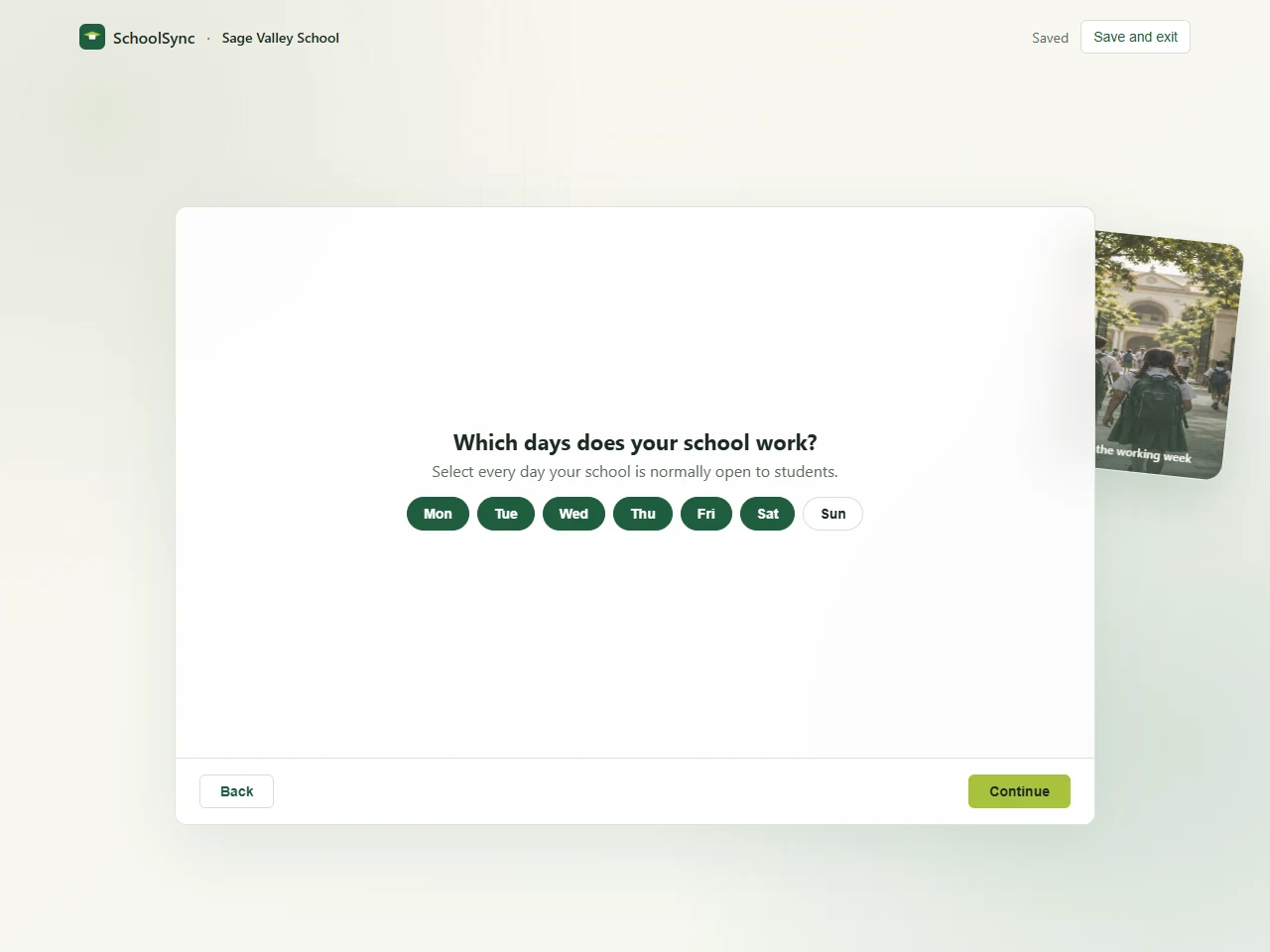
Select the days your campus is open to students. View full screenshot
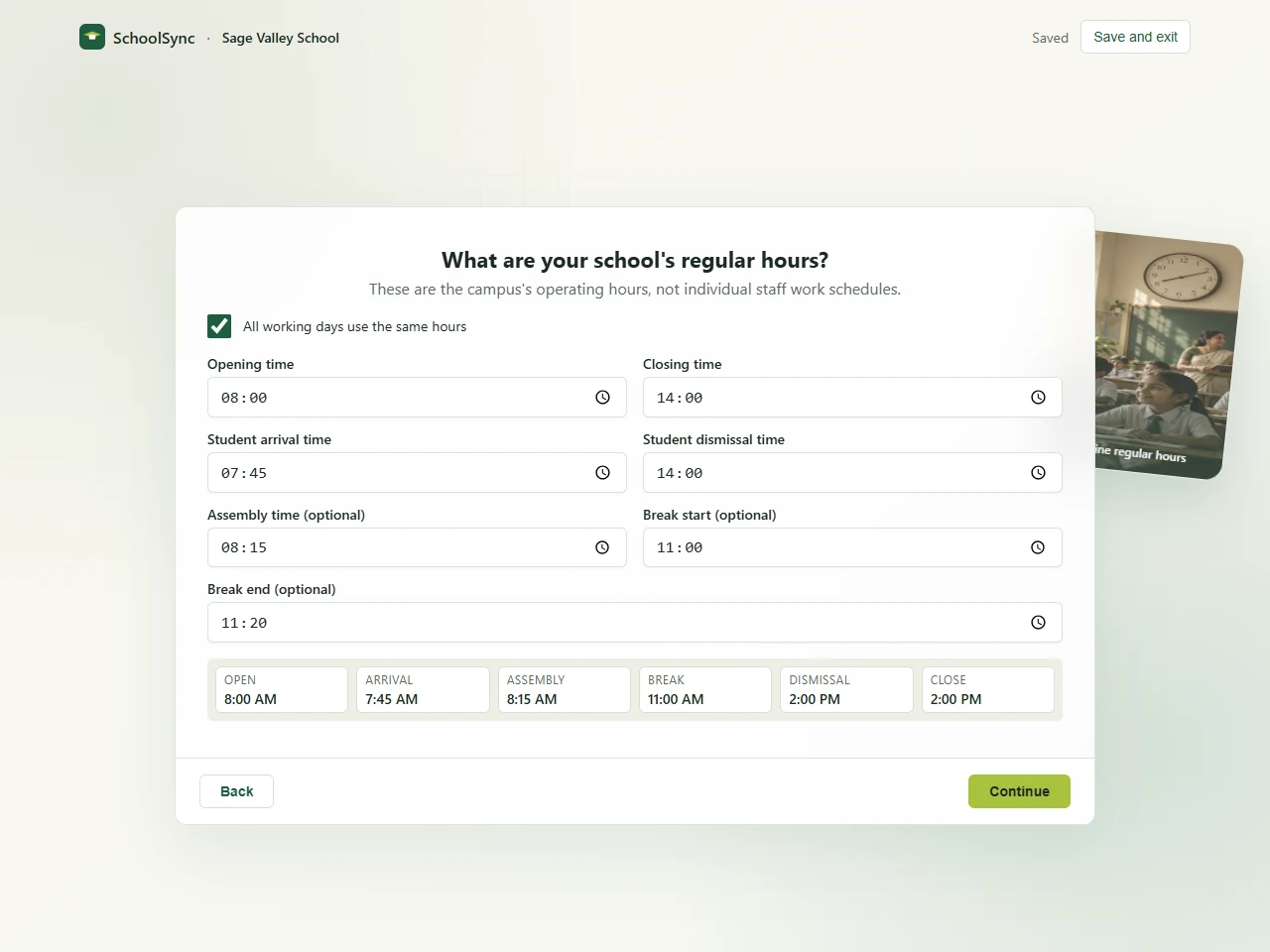
Set opening, arrival, assembly, break and dismissal times. View full screenshot
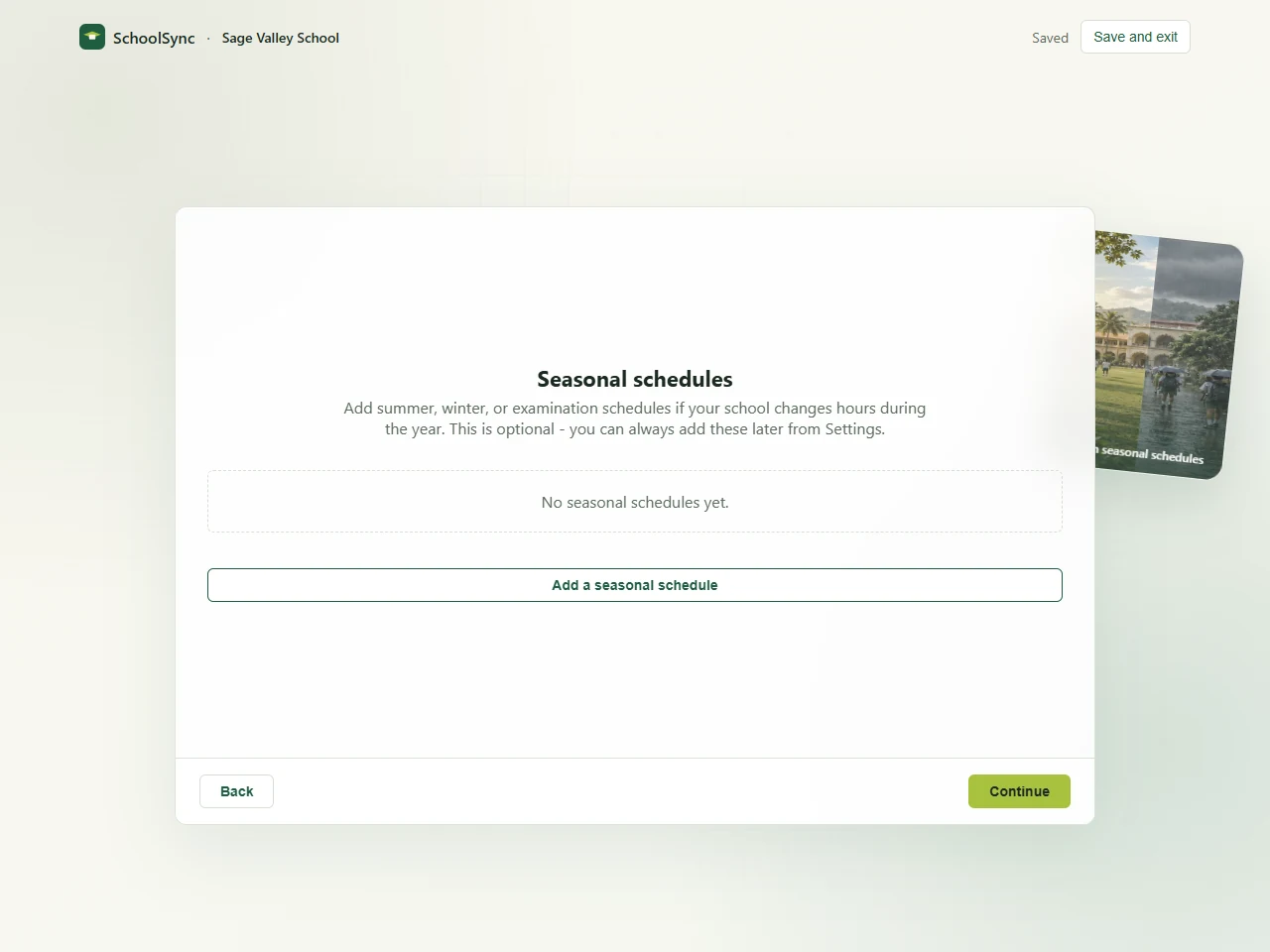
Configure seasonal operating schedules for your campus. View full screenshot
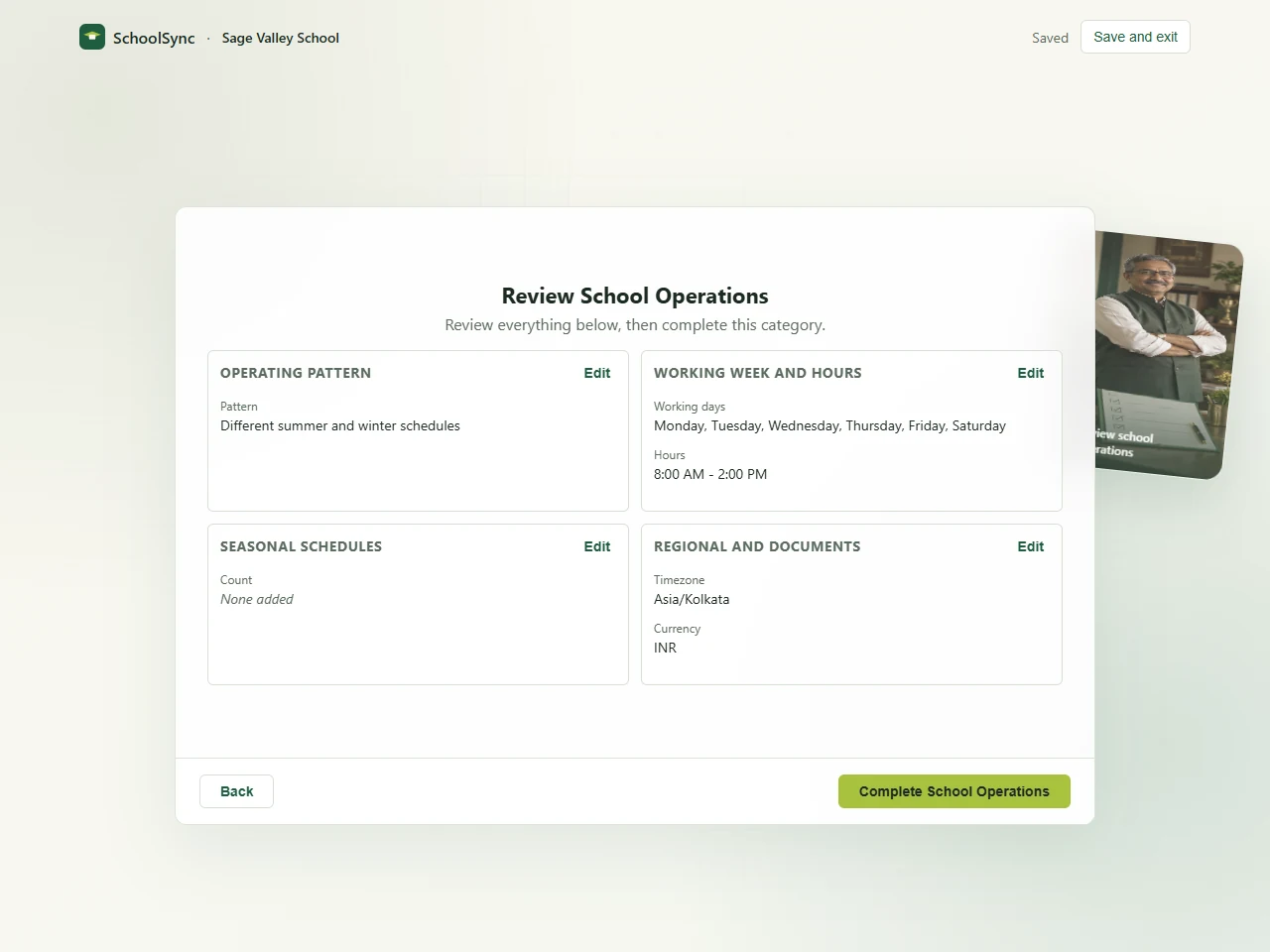
Review the operating pattern, working week, hours and regional settings. View full screenshot
Actual SchoolSync interface · Fictional school data
A foundation you can see.
Available foundation
SchoolSync already has a guided account and school setup experience. These screens are the starting point for the connected ERP we are building.
Create and verify an account, complete the Principal profile, and return through sign-in or password recovery.
Identity, registration, main campus, contacts and branding come together in a six-stage profile with a final review.
Choose working days, regular hours, seasonal schedules and regional preferences in a focused question flow.
From scattered details to a shared starting point
The school name in one file. The office number in another. Timings shared in a message. Start by putting the official details and operating schedule into a structured school workspace.
See the setup journeyA familiar starting point
The SchoolSync foundation
The first step toward connected records. People, attendance and finance workflows are still in development.
A guided start
Small, focused questions help you build the foundation. Save your progress and return when you have the next detail ready.
Verify your email and complete your Principal profile.
Add identity, registration, campus, contacts and branding.
Set the working week, hours and seasonal schedules.
Check your configuration before completing each setup.
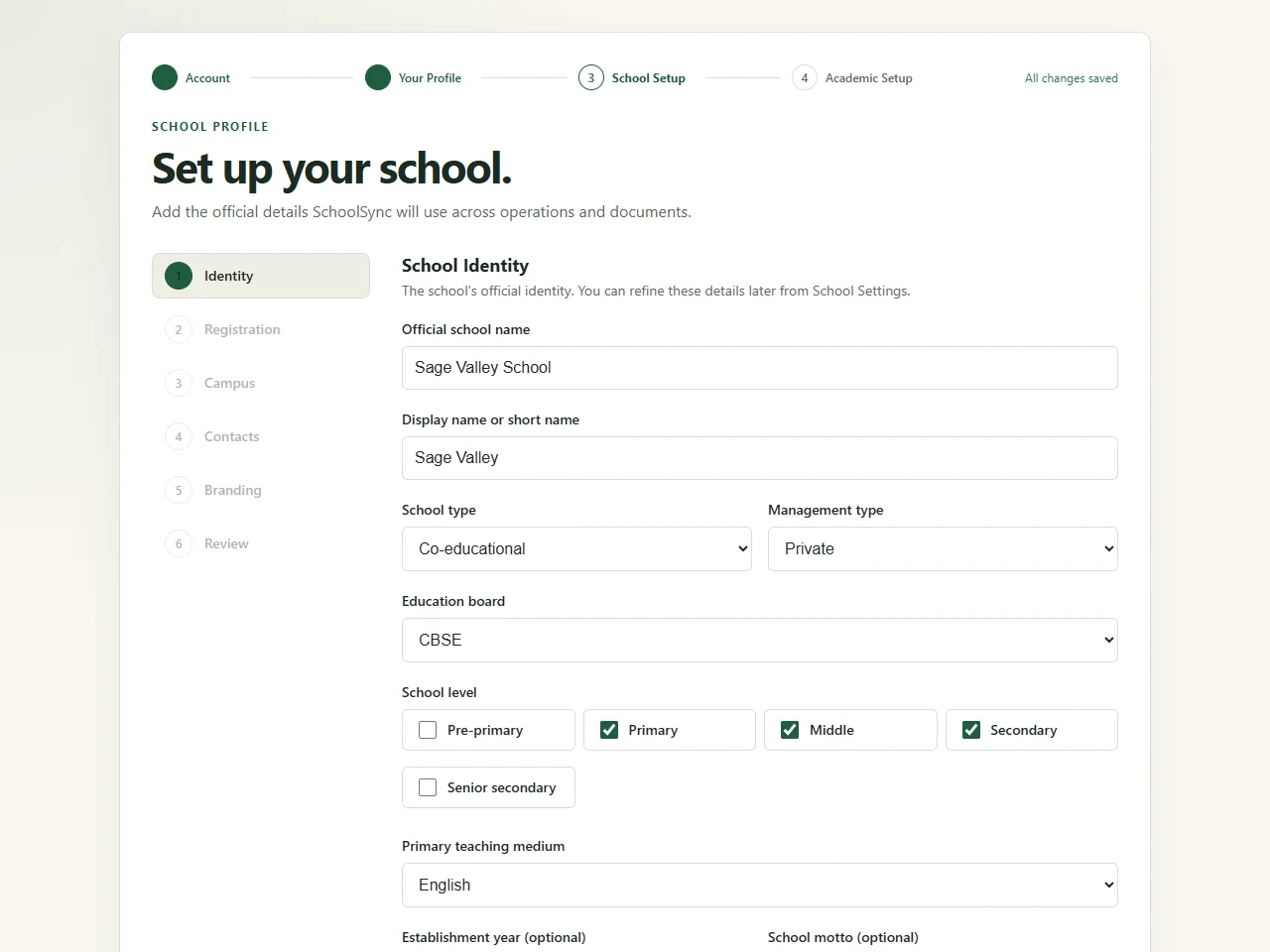
Keep the main campus address, official contacts and school identity together. School codes are reserved during setup so the final review has a clear next step.
Made for the people doing the work
These are the role outcomes guiding the ERP build. The current foundation covers the Principal’s account and school setup.
View the capability mapA clear school foundation today; daily oversight and exceptions in development.
Academic structure and connected people records are being built for changing school years.
Fee records, payment allocations and receipt history are in development for the fee counter.
Distinct records and assignments in development; attendance, leave and payroll come later.
A workspace that fits
The setup interface adapts to desktop, tablet and mobile browsers. Focused questions and readable controls keep the next action close.
An internet connection is required. Offline attendance terminals and a later Windows fee-counter client have separate plans; browser setup does not offer offline saving.
Sign in to SchoolSync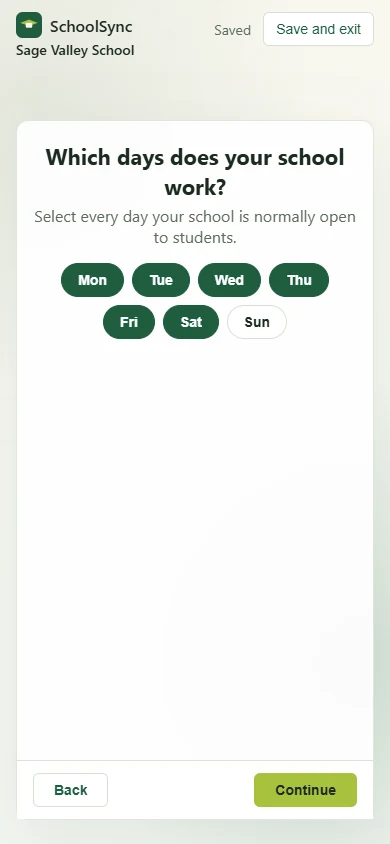
Responsible by design
We distinguish current setup safeguards from the controls planned for the wider ERP. No compliance badges or hosting guarantees are implied.
The server resolves school setup from the signed-in account. A draft cannot be selected by passing another school’s ID.
Signature and stamp previews use protected access with expiring links, separate from ordinary draft details.
Child, attendance and finance records need appropriate access, review and retention as those modules are released.
Read our data principlesA few things to know
Have a school-specific question?
Talk to the SchoolSync team.
The current application has account creation and verification, sign-in and recovery, Principal profile, School Profile, and School Operations setup. Academic structure, people records, fees and dashboards are in development. The complete ERP is not yet a released package.
Yes. The setup flow saves drafts and supports returning to continue. Keep an internet connection and check the save status before leaving.
Start with the school’s official name, board, main campus address and contacts. Decide the school code, working week, regular hours and any seasonal schedules. Optional registration and branding fields can be reviewed during setup.
The current browser setup requires internet access. Offline attendance terminals and a later native Windows fee-counter client are separate planned work, not capabilities of the current browser app.
Fee and people workflows have implementations under development and awaiting integration. Attendance, leave and payroll engines remain planned work. The feature pages explain the intended scope and label its current status.
No free-trial offer or public pricing is confirmed. Request a demo to discuss the current foundation, your school’s needs and the proposed pilot scope.
Your contact details are sent to the SchoolSync team. We will call you to arrange a conversation about the current setup experience and the workflows your school needs. A request does not create a school account or buy a subscription.
Let’s talk about your school
Request a demo of the current setup experience and tell us what matters at your school. We’ll discuss the development roadmap and a suitable pilot scope.
A demo request is an enquiry, not an account registration or purchase.
[email protected]